
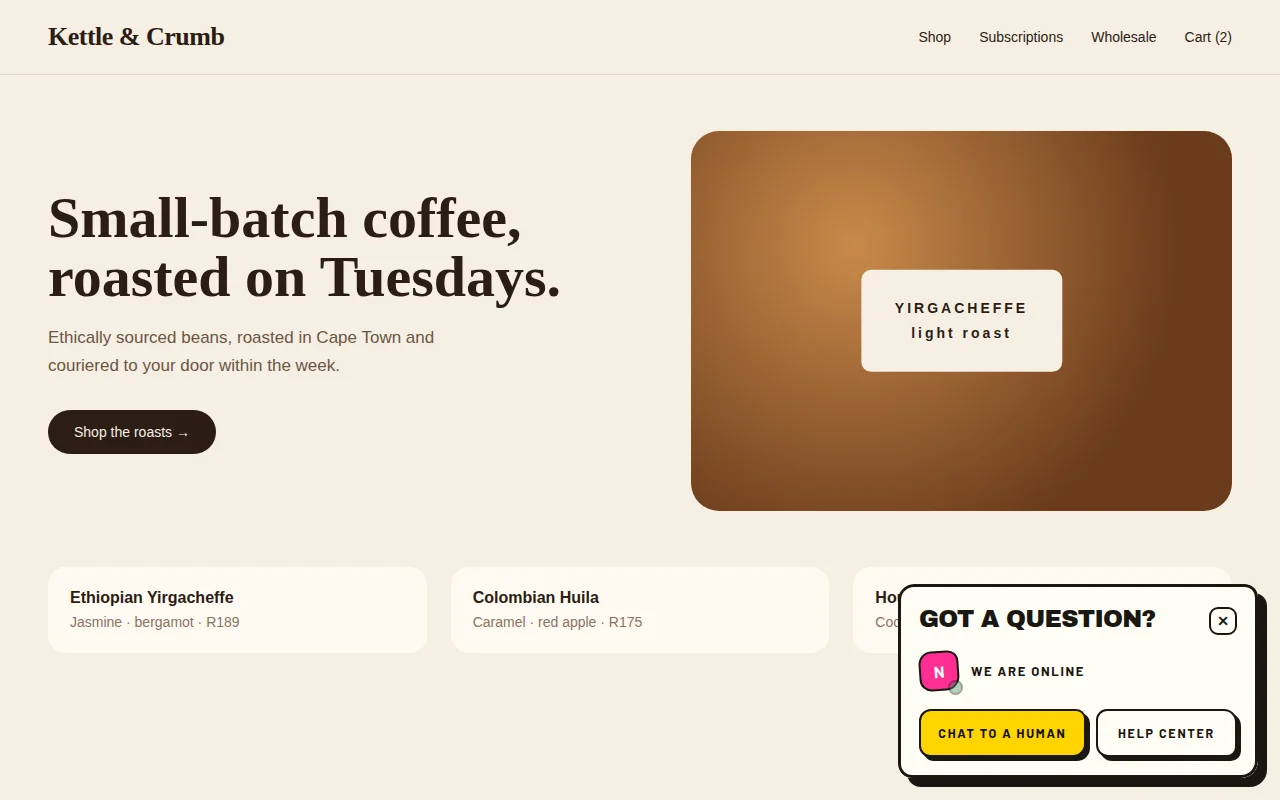
Paste one line
Add your site, copy the snippet, paste it before </body>. On WordPress? Install the plugin and paste your key.
Live chat for websites
One script tag drops a chat bubble on your site. Visitors ask, your team answers from one inbox, and messages land on both screens instantly. No ticket numbers, no "we'll get back to you in 3–5 business days".
<script src="https://chat.webway.host/widget.js" data-site="wlc_yourkey" async></script>
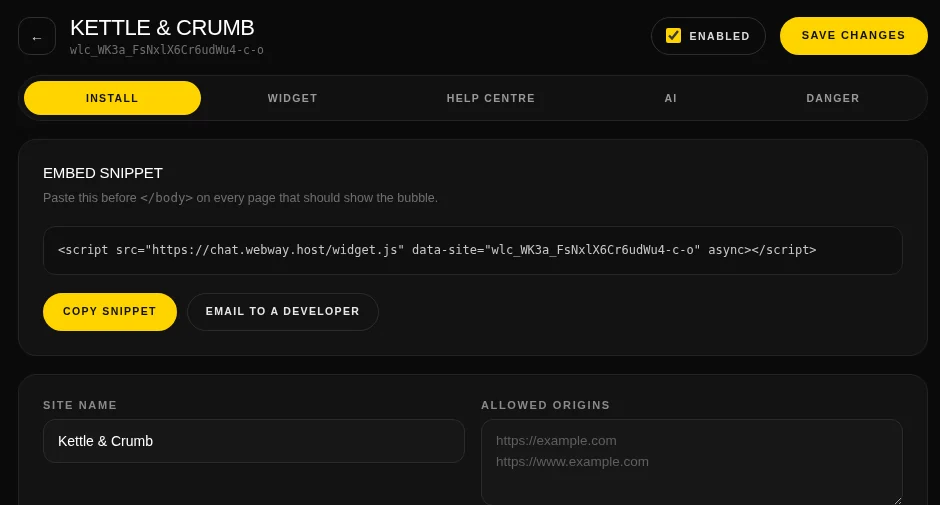
See it live · real recording, no mockups
Left: a shopper on a coffee store's website. Right: the shop's inbox. Both recorded at the same moment — watch the message cross over.
psst — click the clip to watch it full size
How it works
Most people are chatting with their first visitor before their coffee goes cold.
click a screenshot to enlarge it, click again to zoom in
Add your site, copy the snippet, paste it before </body>. On WordPress? Install the plugin and paste your key.
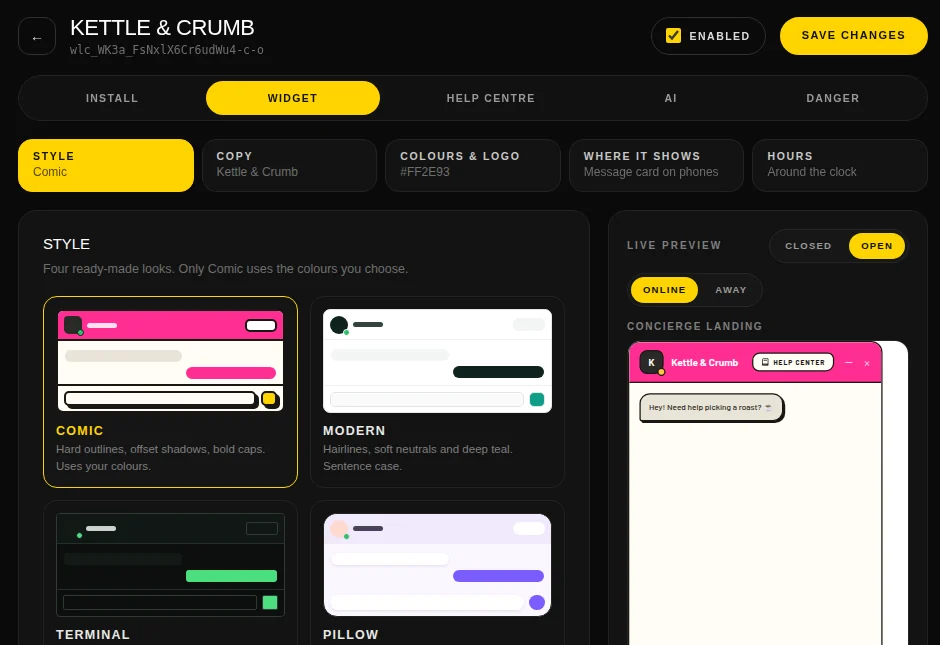
Pick a style, set your colours, logo, greeting and hours. Choose where it shows on phones. The preview is the real widget.
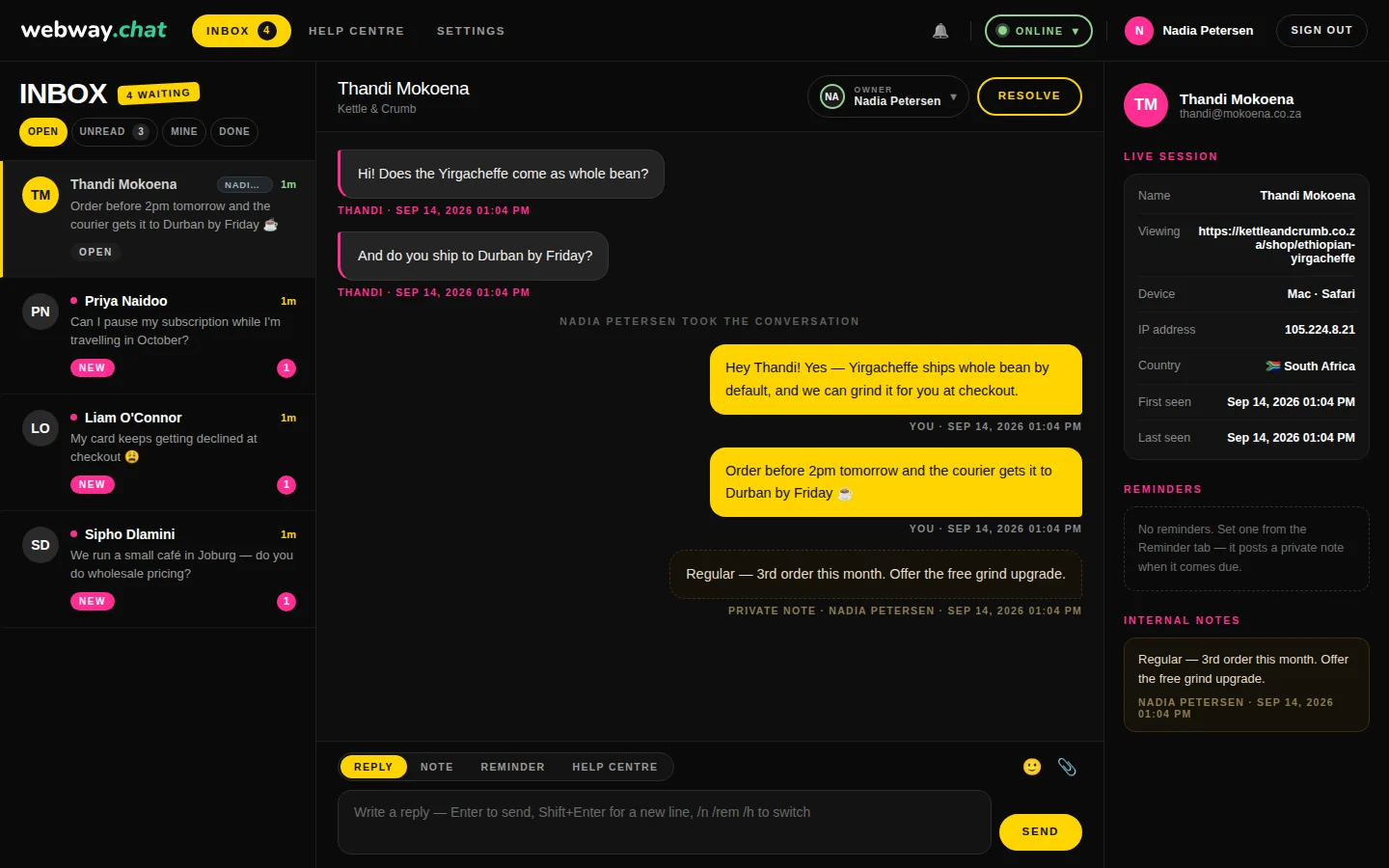
Chats land in one inbox, filtered by open, unread, mine and done. Answer from the browser, alone or as a team.
Features
Everything a small team needs to look big, without a 40-tab admin panel.
psst — click any clip or screenshot to see it full size
Four ready-made looks. Flip between them and the preview updates on the spot.
Turn it on per site. It learns from your website, your WooCommerce products and chats your team has already solved, and hands over to a person when it should.
Write articles with a Markdown editor and images. Visitors search them from the widget, and you'll see which ones actually helped.
Minimise, pick up where you left off, and keep the chat across page changes.
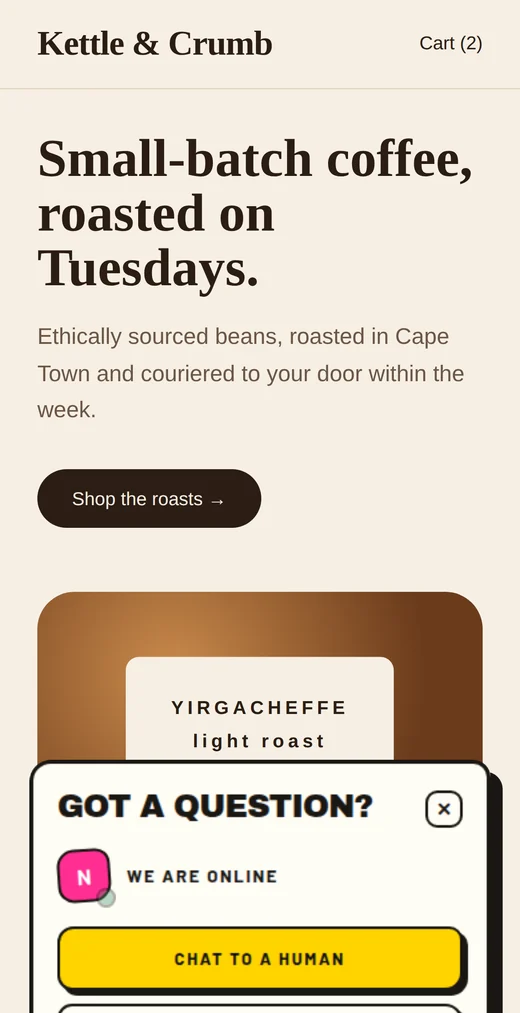
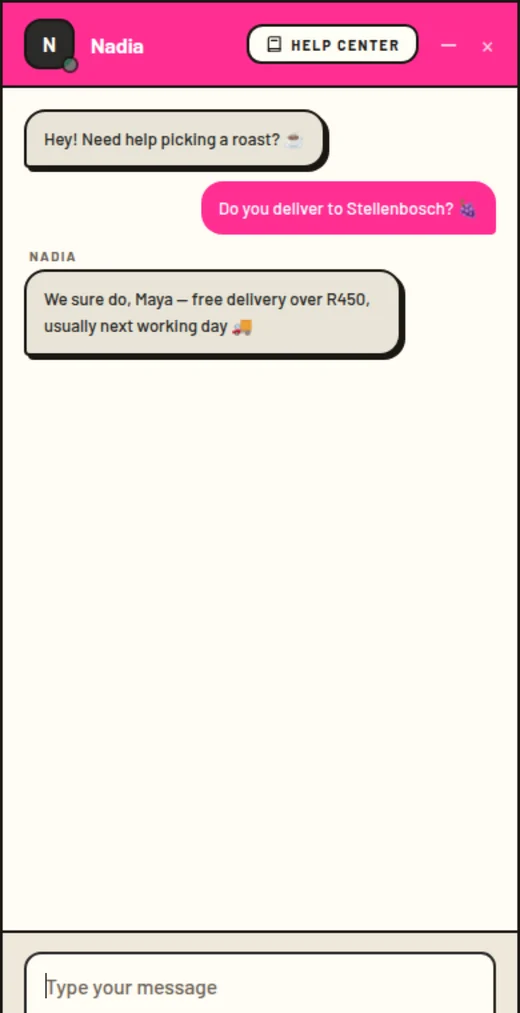
Visitors share their screen with one click, straight to your browser, and send files, images and emoji. No downloads, no meeting links.
Each workspace is sealed off, so one business can never open another's chats. Visitors never need an account or a login, and the widget only loads on the websites you allow.
The AI assistant, explained
It's switched off until you turn it on, it only answers from what you give it, and it hands a chat to a person when it can't help. Here's what happens when a visitor sends a message.
"Do you have the 6-cup moka pot in stock?"
It pulls your briefing plus the bits of your material that match the question, never everything at once.
With your instructions, in the voice you asked for, under the name and photo you gave it.
Autopilot sends it in seconds. Ask a teammate first keeps it as a draft only your team sees.
The chat goes to the first teammate you picked who's online. Nobody around? It waits for your team and you get an email.
Give it your address and it reads up to 250 pages, following your sitemap and your robots.txt rules. Click Re-read whenever the site changes.
Every published article is used automatically. Write an article once and both your visitors and the AI can use it.
Add a page it re-reads on every reply (like a delivery-times page) or a short fact such as "We're closed on public holidays".
When a chat is resolved, facts your team stated are added to its knowledge. Only what a person said counts; visitor details are never kept.
Prices, stock and more, kept in sync. See below ↓
From all of that it writes a short briefing it reads before every reply, and rebuilds it by itself a couple of minutes after anything changes.
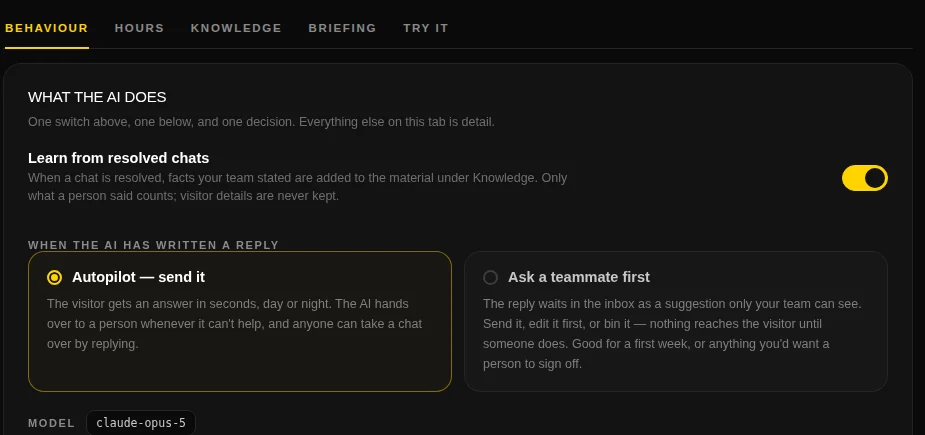
For WooCommerce stores
Connect your store and the AI can answer product questions from your own catalogue, with a link to the right product.
In WordPress: WooCommerce › Settings › Advanced › REST API › Add key, with permissions set to Read. Paste the store address, consumer key and secret under Knowledge › Website › WooCommerce store. The secret is stored encrypted and never shown again.
It pulls names, links, SKUs, prices and sale prices, stock levels, variations, categories and descriptions for up to 3,000 products. It syncs every 30 minutes, or press Sync now. It reads the rest of your store's website once while it's there.
Visitors get your price, whether it's in stock and a link to the product page. The AI knows stock is a snapshot from the last sync, so it doesn't promise more than that. You can pause or disconnect any time.
Example
🔎 The second answer came from a web search. Price and stock came from the store.
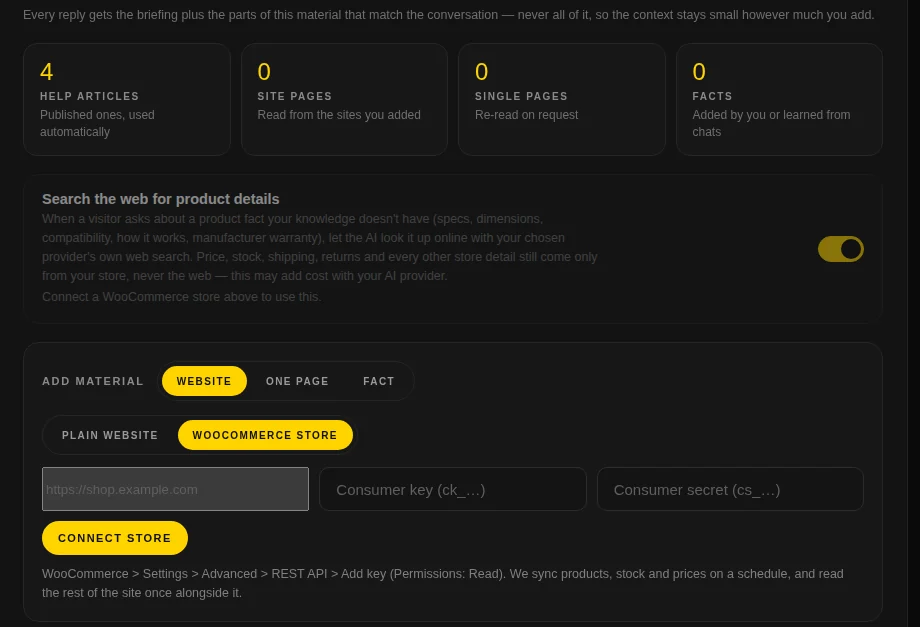
Turn on Search the web for product details and, when a visitor asks something your catalogue doesn't cover (specs, dimensions, compatibility, materials, how it works, manufacturer warranty), the AI can look it up online.
Screens
Real screens from the app. Click any of them for the full size.
The inbox: conversation in the middle, visitor's live session, reminders and private notes on the right.
Packages
One website, one person answering.
Free forever
A small team with a couple of sites.
Billed monthly
Busy stores that want an AI helper on the late shift.
Billed monthly
Prices in South African Rand, VAT included. AI uses your own provider API key, so you pay the provider for what you use.
Install
Three ways in. Whichever you pick, you use the same dashboard.
Plain HTML, Shopify, Webflow, Wix, Laravel or anything else: paste this before </body>. The address never changes, so you only paste it once.
<!-- Webway Chat -->
<script
  src="https://chat.webway.host/widget.js"
  data-site="wlc_yourkey"
  async></script>
No theme editing. Upload the plugin, open Settings → Webway Live Chat, paste your key and you're done. Works with caching plugins like LiteSpeed Cache and WP Rocket.
# Plugins → Add New → Upload Plugin
webway-live-chat-wordpress-1.0.0.zip
# Hide it on checkout, say:
add_filter( 'webway_live_chat_enabled', … );
Download v1.0.0
Run Webway Chat on your own server as a single app with a MySQL database. Nothing else to set up. Get in touch and we'll help you get going.
# one app, one database
java -jar webway-live-chat.jar
# or as a container
docker build -t webway-chat .
Ask about self-hosting
FAQ
No. The script loads in the background and the chat runs in its own little frame, so it doesn't clash with your theme or hold up your page.
No. The first time, they give a name and email so you know who you're talking to. After that they pick up the same chat whenever they come back.
The widget shows your offline message and the visitor's message goes to your inbox and by email. You can also set opening hours, or only show the widget while someone can answer.
Your choice, per site. It can reply on its own, or write a draft that a person approves. It's clearly labelled as AI, has its own hours, and hands the chat to a person when it can't help.
Anthropic (Claude), OpenAI, Google Gemini or DeepSeek. You use your own API key, stored encrypted, and you pay the provider directly for what you use.
Yes. Each site gets its own widget look, help centre and AI settings, and you can choose which team members see which sites.